(807) 700-7111 Free Assessment

Home › IP Desk Phones

IP Desk Phones · Yealink for 3CX

Yealink IP desk phones, ready to ring.

Eight Yealink models cover every desk, floor and boardroom in a Northern Ontario office. Pick by how the desk is used. We provision each phone to your hosted 3CX before it ships, or remotely once it is on your desk, whichever you prefer.

The phones, side by side

Specifications are Yealink's own. Each card links to the user guide your staff will actually use.

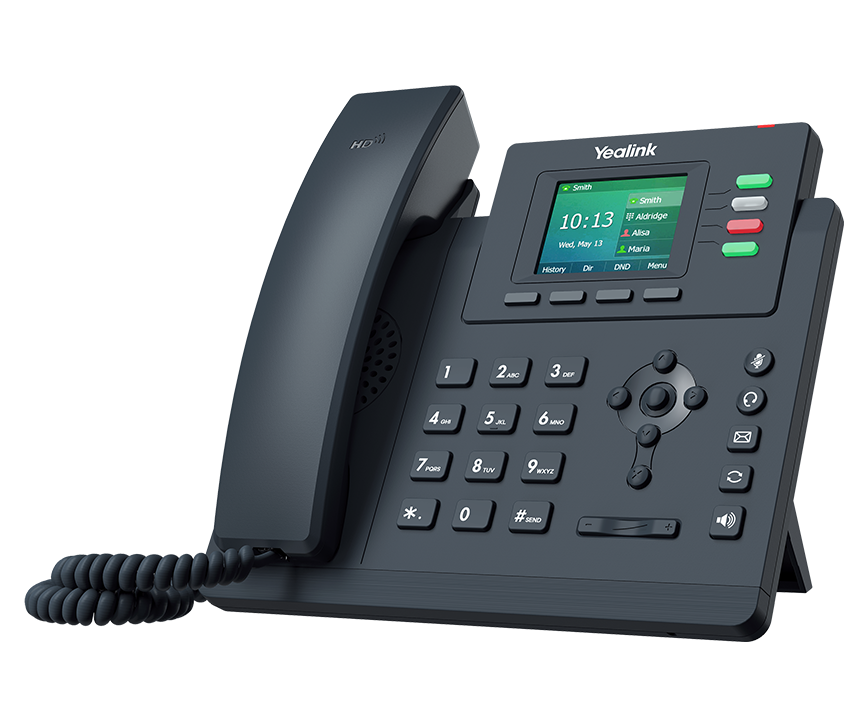
Yealink T33G IP desk phone
Entry

Yealink T33G

Shared desks, reception overflow, warehouses and anywhere a phone needs to be simple and tough.

Display2.4" colour, 320 × 240, adjustable backlight
Lines4 lines, 4 line keys, 12 memory keys
NetworkDual Gigabit Ethernet, PoE
WirelessNone built in
HeadsetRJ9 headset port, EHS35 adapter for wireless headsets
Router Phone No. Connects through a Router Phone or the DVGVoIP SBC.
Yealink T46U IP desk phone
Everyday

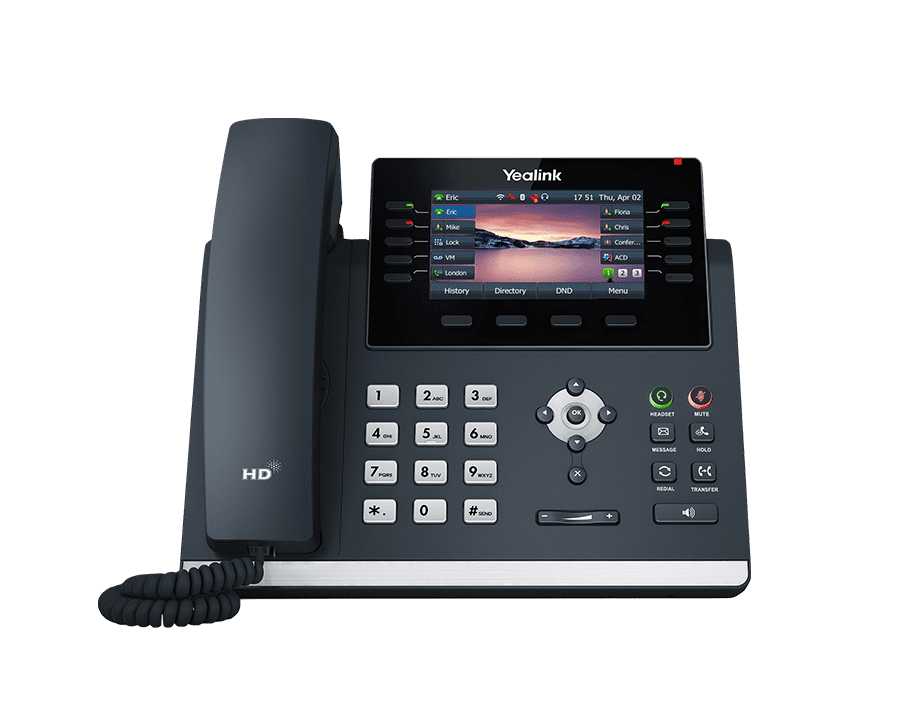
Yealink T46U

The all-round office phone. Colour screen, expansion-module support for reception, wireless as an add-on.

Display4.3" colour screen with backlight
AccountsUp to 16 SIP accounts, programmable line keys
NetworkDual-port Gigabit Ethernet, PoE
WirelessWi-Fi via WF40/WF50 dongle, Bluetooth via BT41 dongle
ExpansionDual USB, headset and EHS support, EXP43 / EXP50 expansion modules
Router Phone No. Connects through a Router Phone or the DVGVoIP SBC.
Yealink T53W IP desk phone
Everyday · Router Phone

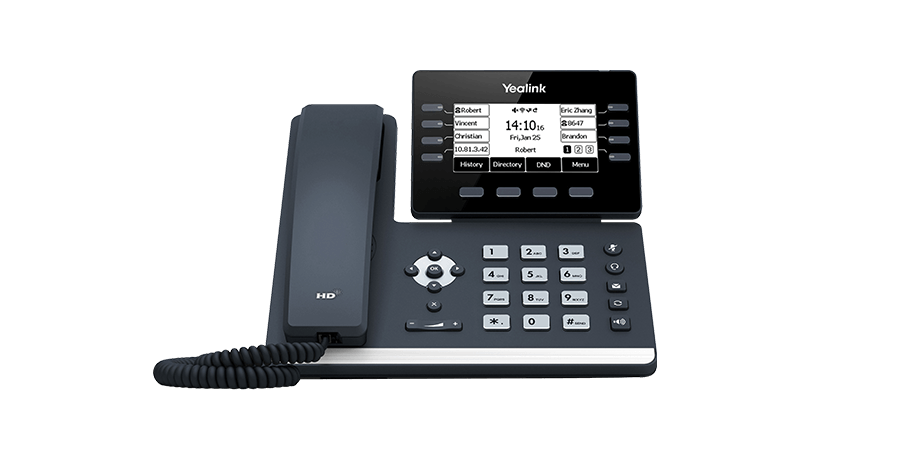
Yealink T53W

Small offices on hosted 3CX: built-in Wi-Fi and Bluetooth, and it can be the site’s Router Phone.

DisplayAdjustable high-resolution greyscale display
LinesProgrammable line keys, paperless labels
NetworkGigabit Ethernet, PoE
WirelessBuilt-in Wi-Fi and Bluetooth
ExpansionUp to 3 × EXP50 colour expansion modules, corded-cordless with DD10K
Router Phone Yes. Can be the site’s SBC for up to 10 phones.
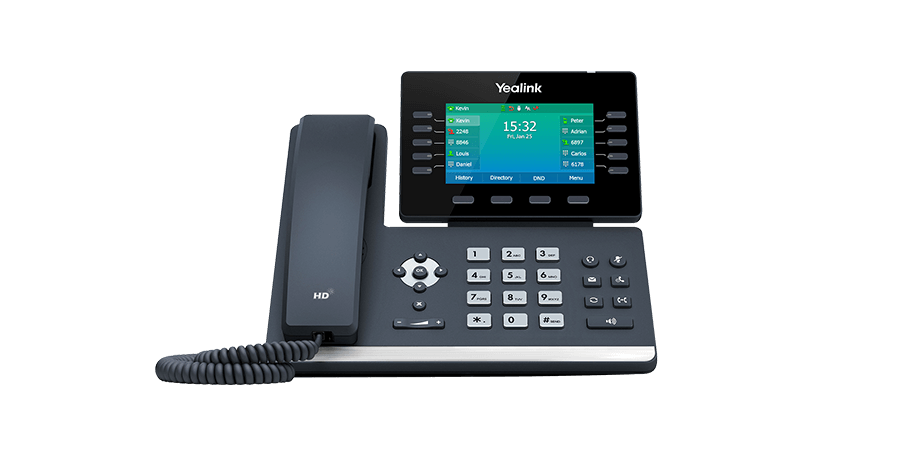
Yealink T54W IP desk phone
Manager · Router Phone

Yealink T54W

Managers and anyone who lives on the phone. Colour screen, wireless built in, and it can run the office’s SBC.

Display4.3" colour, 480 × 272, adjustable, backlit
Lines10 line keys with LED, up to 27 programmable features, 16 SIP accounts
NetworkDual-port Gigabit Ethernet, PoE (802.3af class 3)
WirelessBuilt-in dual-band Wi-Fi (802.11ac) and Bluetooth 4.2
ExpansionUSB 2.0 for recording, USB headsets, EHS40, up to 3 × EXP50 (180 keys)
Router Phone Yes. Can be the site’s SBC for up to 10 phones.
Yealink T57W IP desk phone
Executive · Router Phone

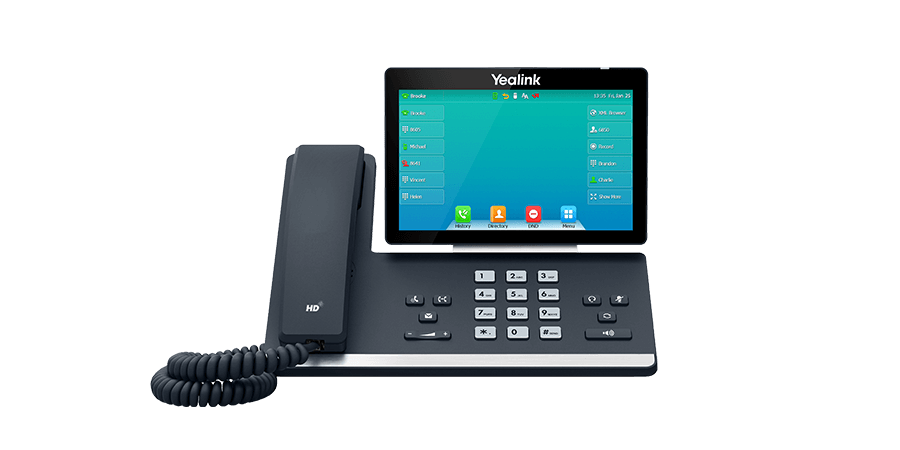
Yealink T57W

Reception and executive desks that want a large touchscreen instead of paper labels and sidecars.

Display7" 800 × 480 capacitive touch screen, adjustable
WirelessBuilt-in dual-band Wi-Fi and Bluetooth 4.2
NetworkGigabit Ethernet, PoE
ExpansionUSB 2.0 for recording and headsets, up to 3 × EXP50
CordlessUp to 4 DECT handsets via the DD10K dongle
Router Phone Yes. Can be the site’s SBC for up to 10 phones.
Yealink W73P DECT IP desk phone
Cordless

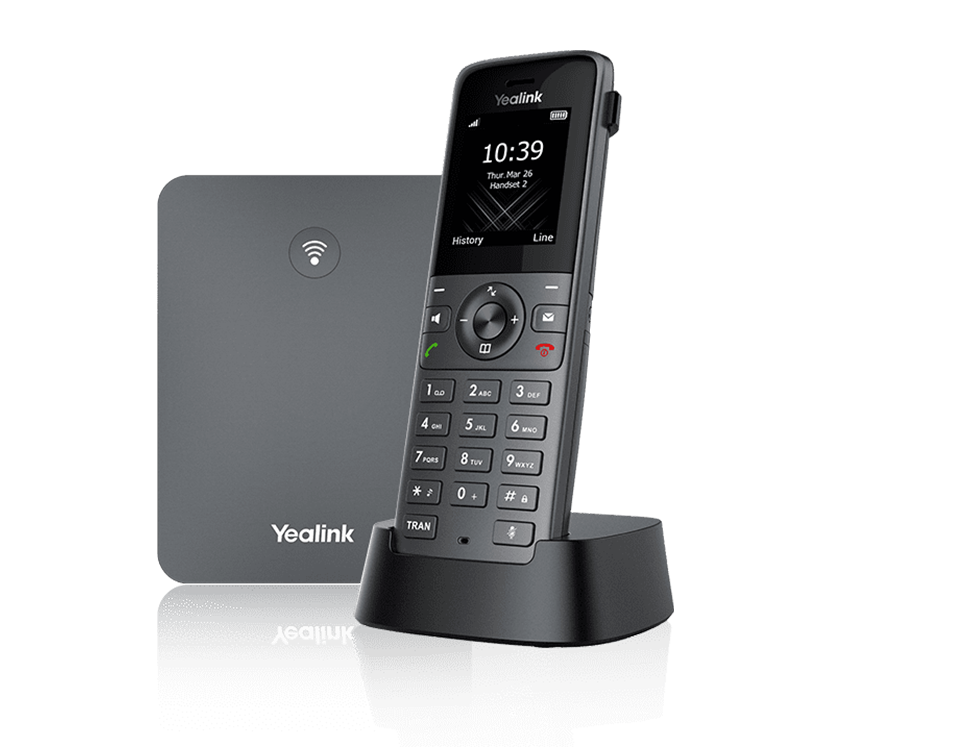
Yealink W73P DECT

Shop floors, clinics, warehouses and anyone who answers the phone away from a desk. Base station plus handset.

SystemW70B base with W73H handset; up to 10 handsets per base
CapacityUp to 10 SIP accounts and 20 simultaneous calls per base
CoverageUp to 6 optional repeaters to extend range
CompatibilityWorks with Yealink’s wider DECT range, including ruggedised handsets
NetworkBase connects by Ethernet
Router Phone No. The base station connects through a Router Phone or the DVGVoIP SBC.
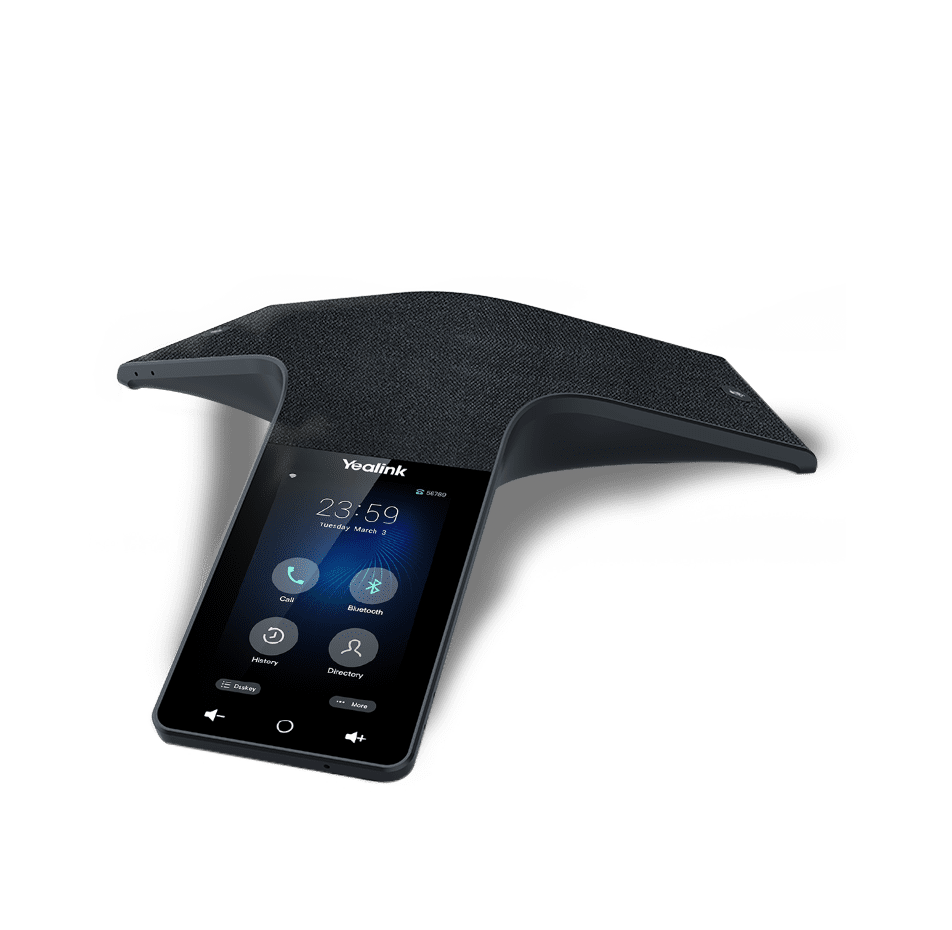
Yealink CP925 IP desk phone
Conference room

Yealink CP925

Boardrooms and meeting rooms where a speakerphone has to pick up the whole table.

Display4" capacitive touch screen
AudioSix-microphone 360° array, 20-foot (6 m) pickup, full-duplex speakerphone
Conferencing5-way conference call
WirelessBuilt-in Bluetooth and Wi-Fi
NetworkPoE (802.3af class 3), USB-C
Router Phone No. Connects through a Router Phone or the DVGVoIP SBC.
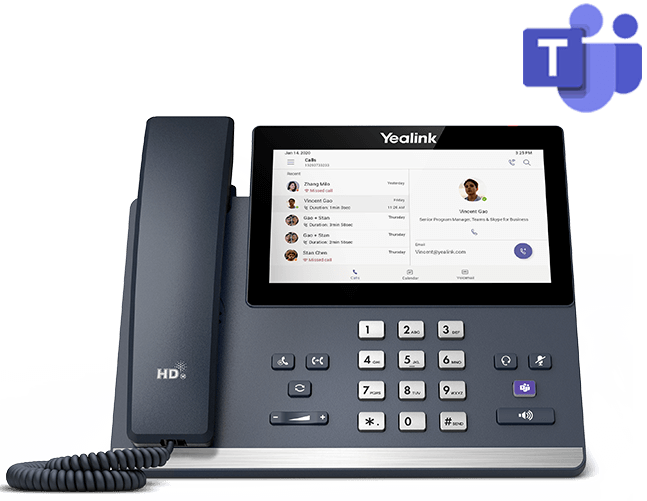
Yealink MP56 (Teams) IP desk phone
Microsoft Teams desk

Yealink MP56 (Teams)

Desks that live in Microsoft Teams. This one registers to Teams, not to 3CX, so it suits Teams-first offices.

Display5" colour touch screen, 1280 × 720
PlatformMicrosoft Teams, with a dedicated Teams button
WirelessWi-Fi 802.11ac dual-band, Bluetooth 4.2
NetworkGigabit Ethernet
Router Phone Not applicable. A Teams phone; it does not use the 3CX SBC.

One phone in the office does an extra job

A hosted 3CX system needs a Session Border Controller at every site with desk phones. It is one secure tunnel that carries every phone's calls to the cloud, so your router's SIP settings stop mattering and new phones find the system on their own.

3CX lets two kinds of device do that job. A Router Phone is a normal desk phone that also runs the SBC software, good for up to ten handsets. A dedicated SBC is the small Raspberry Pi box we build in Thunder Bay for bigger sites, mixed phone brands, paging and DECT.

On this page the T53W and T54W are Router Phone capable. If your office is ten phones or fewer, making one of them a T54W usually removes the need for a separate box.

Starlink and fixed wireless

Many Northern Ontario sites sit behind the provider's address translation, not their own router's. Phones that try to be reached directly from the cloud fail there. A Router Phone or SBC only ever calls out, so it works. Keep the phones on wired Ethernet.

  • Nipigon, Marathon, Manitouwadge and camp sites on Starlink run this way today
  • No port forwarding, no SIP ALG tuning
  • One thing for us to monitor per site

How a phone gets to your desk

The phone is registered to your extension by us, either before the box is taped or remotely after it lands on your desk. You choose; nobody on site configures anything.

  1. Assessment. We count desks, roles, call volume, paging and cordless needs, and check any phones you already own against 3CX's supported list.
  2. Quote. Models and quantities on one page with your plan. You own the phones outright.
  3. Provisioning, your way. Each phone is added to your hosted 3CX, assigned to its extension and given its line keys. We do that in Thunder Bay before the phone leaves us, or remotely once it is plugged in at your site, depending on what works for you.
  4. Plug in. Ethernet with PoE, or the supplied power adapter. A pre-provisioned phone downloads its configuration and rings within minutes; a remotely provisioned one rings as soon as we have finished with it.
  5. Support. Firmware, key changes and swaps are handled remotely. Open a ticket by emailing support@dvgvoip.com before calling; it gets you to the right person faster.

Desk phone questions

Which phone should I pick?

Count the calls, not the features. A shared desk or a back office that answers a few calls a day is a T33G. A desk that lives on the phone, transfers a lot, or watches other extensions is a T46U or T54W. If the site has ten phones or fewer and no dedicated SBC box, make one of them a T53W or T54W so it can be the Router Phone. Not sure? Book the free assessment and we will map phones to desks with you.

What is a Router Phone, and do I need one?

A Router Phone is a normal desk phone that also runs the 3CX SBC software, so the other phones in the office connect through it. 3CX requires one Router Phone or a dedicated SBC at every site that has desk phones on a hosted system, and supports up to ten handsets behind a Router Phone. The T53W and T54W on this page are Router Phone capable; the T33G and T46U are not.

Do you provision the phone before it arrives?

Your choice. We can register each phone to its extension on your hosted 3CX before it ships, so on site it is plug in, power on, done. Or we ship it as received and provision it remotely once it is on your network, which suits offices that want to unbox and place phones first. Either way nobody on site configures anything. If a phone ever needs a fresh start, the provisioning guide walks you through it.

Can I use phones I already own?

Often, yes. 3CX supports a wide range of Yealink, Fanvil and Snom models and, with limitations, many Polycom, Cisco and Grandstream phones. Some older models are on 3CX’s do-not-buy-new list and a few are legacy with no support. Tell us the models during the assessment and we will check each one against 3CX’s current list.

Do you sell or rent the phones?

You own your phones outright. Hardware is quoted with your system so the price reflects the models and quantities you actually need, not a list price. There is no monthly hardware line on your bill.

What about cordless, conference room or Microsoft Teams phones?

All three are on this page: the W73P DECT system for shop floors and clinics, the CP925 for boardrooms, and the MP56 for Teams-first desks. DECT and conference phones are sized per site because base placement, repeaters and room size vary, so those are confirmed during the assessment.

Are the phones covered by a warranty?

Yealink phones come with Yealink’s manufacturer warranty. For phones we supplied, we look after the warranty claim with the distributor on your behalf so you are not chasing it yourself. Terms and turnaround follow Yealink’s and the distributor’s policies.

Tell us how many desks. We will tell you which phones.

A 30-minute free assessment maps phones to desks, checks the phones you own, and prices the whole system on one page.

Ask AI

Accessibility