Apps & Features · Powered by 3CX
Your extension goes everywhere you go.
DVGVoIP's hosted 3CX platform gives every employee a full set of calling tools — on their phone, their computer, or any browser.
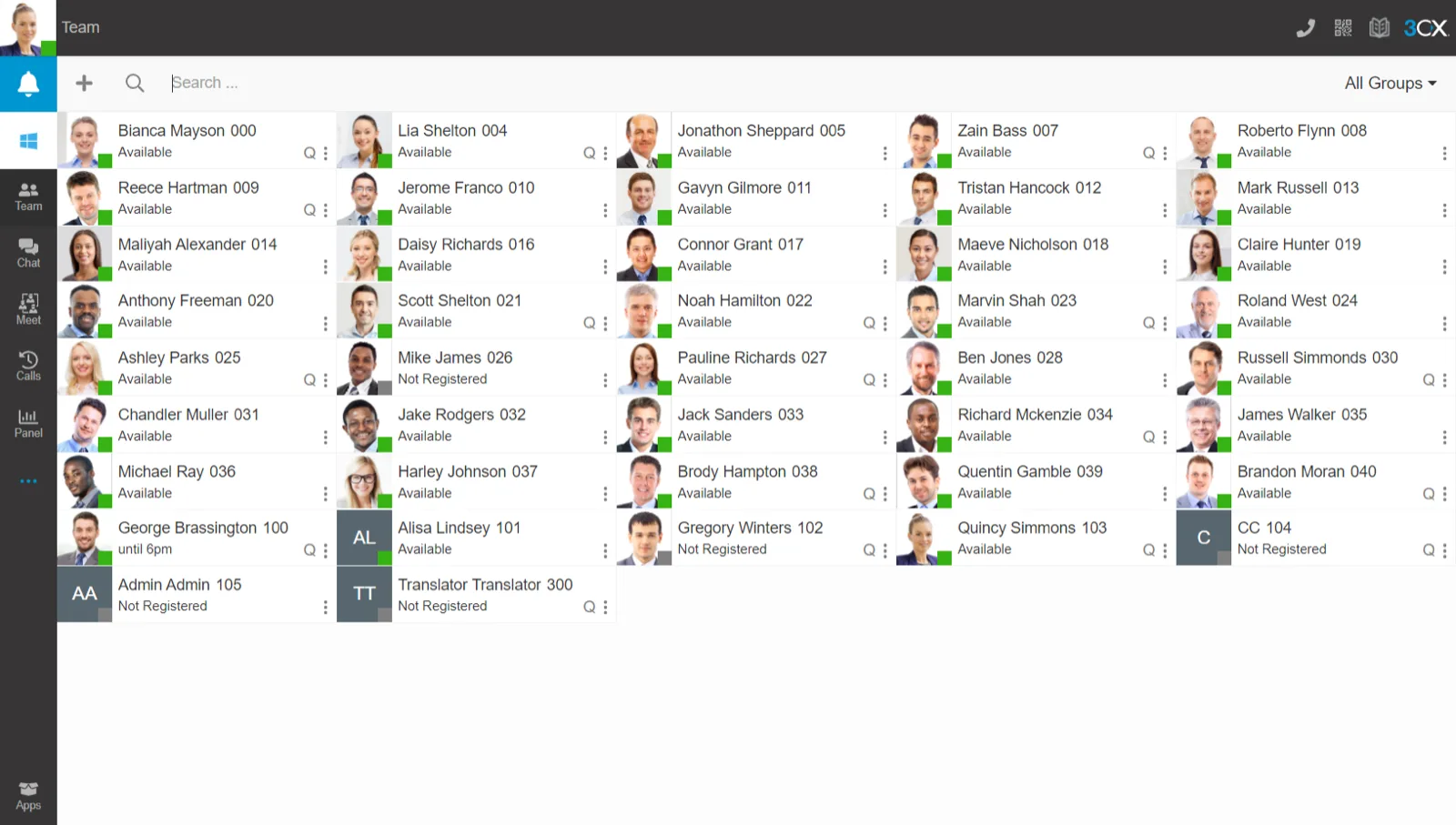
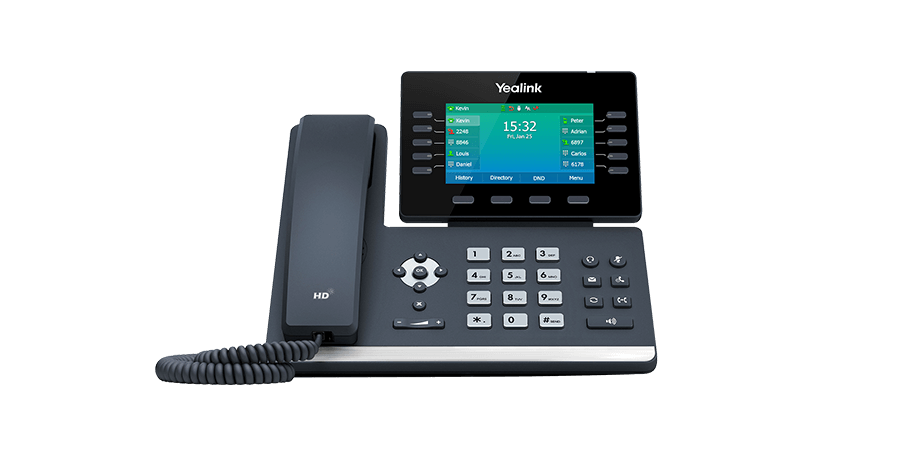
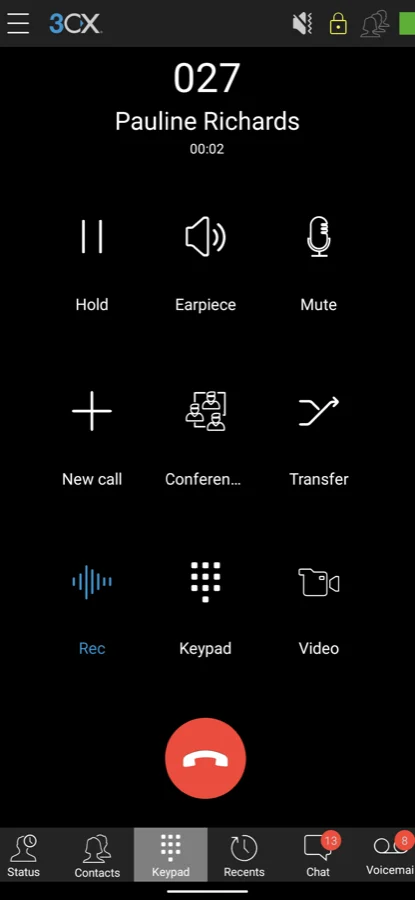
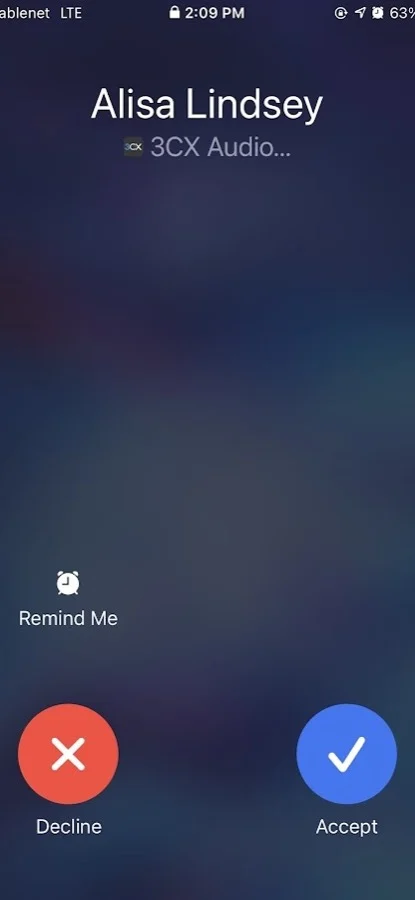
- Desk phone
- Windows & Mac
- Web browser
- Android
- iPhone
Every Device. Every Location.
3CX works on the devices your team already uses — no proprietary hardware required.
Mobile Apps — iOS & Android
The 3CX iOS and Android apps turn any smartphone into a full business extension. Calls show your business number to the recipient — not a personal cell. Your team is reachable on their work extension from anywhere with a data connection.
- Receive and make calls on your business extension from anywhere
- Calls delivered via PUSH notification — no battery drain from a persistent connection
- Transfer calls to colleagues just like being in the office
- Instant messaging with colleagues directly in the app
- Video calling and conferencing from your mobile
- SIP forking — rings your desk phone and mobile simultaneously
Desktop Softphones — Windows & Mac
The 3CX desktop app for Windows and Mac gives office and remote workers a full phone on their computer. Combined with a headset, it replaces a desk phone entirely for staff who prefer to work at their PC.
- Full extension functionality on Windows 10/11 and macOS
- Computer Telephony Integration (CTI) — click to dial from any application
- CRM integration — Salesforce, HubSpot, and Outlook contacts pop on incoming calls
- Wallboards and call reporting for managers
- Works for remote staff over any internet connection — no VPN needed
Web Client & Live Chat
No download needed. The 3CX Web Client runs directly in Chrome or Edge — staff can make and receive calls from any computer, anywhere, just by logging in. Ideal for staff who work on shared computers or who prefer not to install software.
- Full calling, chat, and voicemail in the browser — no plugins
- See colleague presence in real time — available, on a call, or away
- Live chat widget for your website — visitors can chat or call directly from a browser tab
- Switchboard view for receptionists managing multiple calls
Built-In Video Conferencing
3CX includes a full video conferencing platform — no Zoom subscription, no Teams add-on required. Host video meetings directly from your phone system with screen sharing and polls; capacity of up to 250 participants is on the Enterprise plan.
- Up to 250 participants per meeting on Enterprise (100 on Pro)
- Screen sharing and document presentation
- Polling and Q&A tools for larger meetings
- Join from any browser — no client install needed for guests
- Record meetings directly in the platform
Core tools on every plan. Queues, recording, and CRM on Business+
Calling apps, IVR, voicemail-to-email, and E911 are in every plan. Call queues, recording, and CRM land on Business and above. Video for up to 250 participants is Enterprise. See the plan table.
Not sure which features your business needs? Tell us about your setup and we'll recommend the right 3CX edition.
Who Benefits Most From 3CX Apps
Every employee benefits from mobile and desktop apps — but these teams get the most value.
Remote & Hybrid Workers
The 3CX mobile and web apps let staff work from home as effectively as the office — on the same extension, with the same call quality, and showing the same business number.
Field & Road Workers
Sales reps, site managers, and service technicians stay on their business extension from anywhere with a data connection — calls show your company number, not a personal cell.
Office Staff Who Want Simplicity
Staff who prefer not to manage a desk phone use the web client or desktop softphone. One login, full phone functionality, nothing to maintain.
Teams Paying for Zoom or Teams
3CX's built-in video conferencing handles up to 250 participants (Enterprise plan) at no extra cost. Many DVGVoIP clients cancel their video subscription once they see what 3CX includes.
Why DVGVoIP for 3CX Apps
As a 3CX Silver Partner, DVGVoIP ensures your apps are properly configured from day one — push notifications, SIP forking, CRM integration, and remote access all set up and tested before your go-live date.
- Apps pre-configured — staff just log in and they work
- Staff training included with every deployment
- Local Thunder Bay team for ongoing support
- Month-to-month — all apps included, no add-on fees
- Updates managed by DVGVoIP — no maintenance burden on you
The Cost Angle
3CX app licenses are included in your monthly rate — no per-device or per-user app fees.
- Unlimited mobile app installs included
- No per-device licensing
- Video conferencing for up to 250 participants (Enterprise plan)
- Live chat widget for your website included
- No per-user licence fees — 3CX publishes savings of up to 80% on licensing versus per-user providers